> For the complete documentation index, see [llms.txt](https://docs.growsurf.com/llms.txt). Markdown versions of documentation pages are available by appending `.md` to page URLs; this page is available as [Markdown](https://docs.growsurf.com/integrations/loops.md).
# Loops
Sync GrowSurf participants and referral data to a Loops mailing list.
## Sync participants to a Loops mailing list
**Step 1:** In [Loops > Settings > API](https://app.loops.so/settings?page=api), click the **Generate key** button. In the **Create API key** modal, enter a name for the key and select **Create key**. Click **Copy key** and save it before you select **Done**. Loops does not show it again.
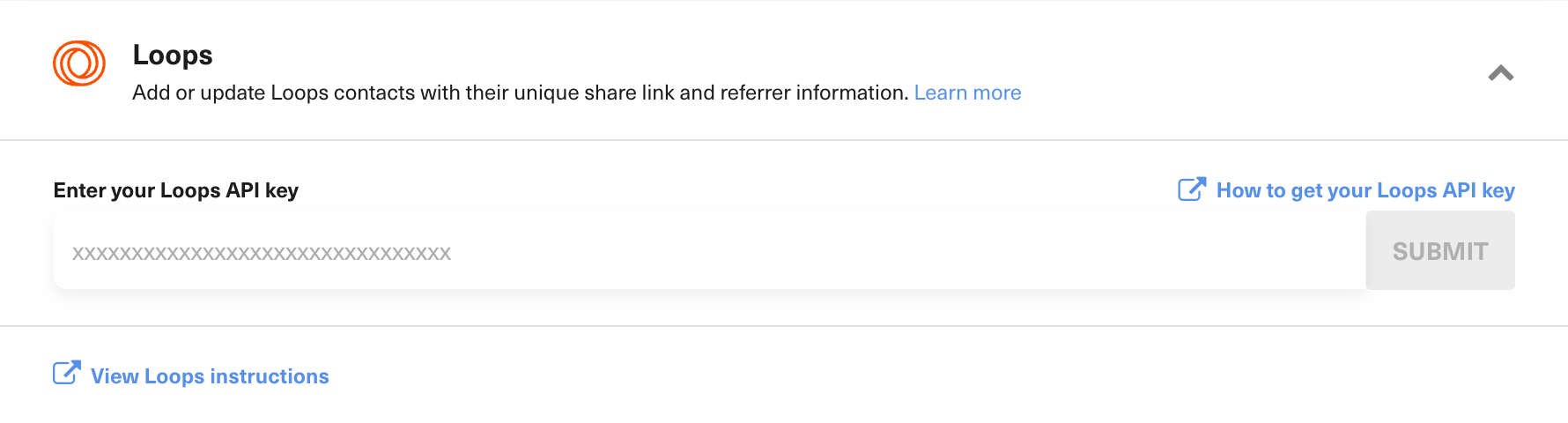
**Step 2:** In GrowSurf, open *Program Editor > 4. Options > Integrations > Loops*. Enter the API key, then select **Submit**.
Connect Loops with an API key.
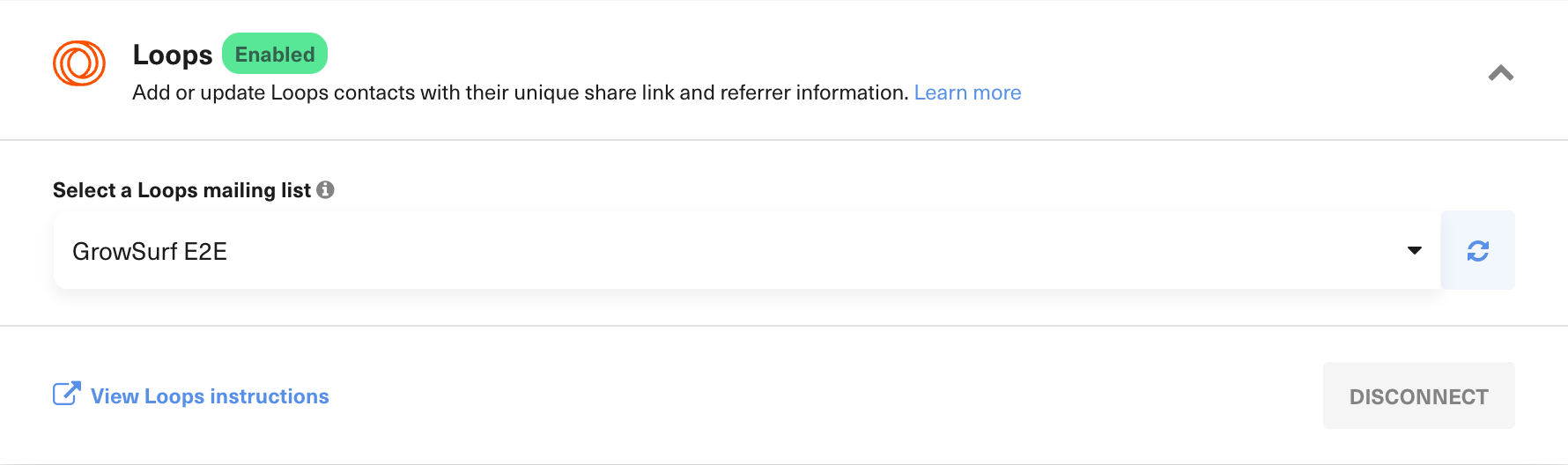
**Step 3:** Select the Loops mailing list that should receive GrowSurf participants. If a mailing list you created in Loops isn't listed, select the refresh icon next to the dropdown to reload the list. GrowSurf creates the Contact Properties listed below and starts syncing new and updated participant data.
Select the Loops mailing list that should receive participant data.
{% hint style="warning" %}
Connect Loops before importing participants. If participants are already in your program, follow [these ESP sync options](https://support.growsurf.com/article/385-how-can-i-sync-my-growsurf-participants-to-my-esp) to send their GrowSurf data to Loops.
{% endhint %}
## Contact Properties
GrowSurf creates these account-level Contact Properties in Loops. Use the property API name inside braces, such as `{grsfShareUrl}`.
| Contact Property | API name | Type | Description | Example |
| ---------------------------------------- | ------------------------------ | ------ | ------------------------------------------------------------------------------------ | -------------------------------------- |
| GrowSurf Share URL | `grsfShareUrl` | String | The participant's unique referral link | `https://growsurf.com?grsf=abc123` |
| GrowSurf Participant ID | `grsfParticipantId` | String | The participant's GrowSurf ID | `abc123` |
| GrowSurf Referral Status | `grsfReferralStatus` | String | The participant's referral-credit status | `CREDIT_PENDING` |
| GrowSurf Participant First Name | `grsfParticipantFirstName` | String | The participant's first name | `Bob` |
| GrowSurf Participant Last Name | `grsfParticipantLastName` | String | The participant's last name | `Loblaw` |
| GrowSurf Referrer First Name | `grsfReferrerFirstName` | String | The referrer's first name, when applicable | `Gavin` |
| GrowSurf Referrer Last Name | `grsfReferrerLastName` | String | The referrer's last name, when applicable | `Belson` |
| GrowSurf Referrer Email | `grsfReferrerEmail` | String | The referrer's email, when applicable | `gavin@example.com` |
| GrowSurf Total Referral Count | `grsfTotalReferralCount` | Number | The participant's all-time referral count | `12` |
| GrowSurf Lead Count | `grsfLeadCount` | Number | The participant's current lead count (pending referrals that have not converted yet) | `12` |
| GrowSurf Monthly Referral Count | `grsfMonthlyReferralCount` | Number | The participant's referral count for the current month | `3` |
| GrowSurf Previous Monthly Referral Count | `grsfPrevMonthlyReferralCount` | Number | The participant's referral count for the previous month | `8` |
| GrowSurf Next Milestone | `grsfNextMilestone` | String | The next milestone message, when the program uses milestone rewards | `2 referrals until your next reward` |
| GrowSurf Next Monthly Milestone | `grsfNextMonthlyMilestone` | String | The next monthly milestone message, when applicable | `1 referral until this month's reward` |
| GrowSurf Total Invite Count | `grsfTotalInviteCount` | Number | The participant's all-time invite count | `24` |
| GrowSurf Total Impression Count | `grsfTotalImpressionCount` | Number | The participant's all-time referral-link view count | `150` |
| GrowSurf Language | `grsfLanguage` | String | The participant's program language (ISO code such as es or pt-BR) | `es` |
The referral status can be `CREDIT_PENDING`, `CREDIT_AWARDED`, or `CREDIT_EXPIRED`.
For examples of how to use these properties in campaign and workflow emails, see the [Loops tutorials](/integrations/loops/tutorials.md). You can also refer to Loops' [Contact Properties guide](https://loops.so/docs/contacts/properties) for more information about using Contact Properties in emails.
## Troubleshooting
* If GrowSurf cannot connect, generate a new key under *Loops > Settings > API* and try again.
* If the selected mailing list was deleted, choose an existing list in GrowSurf and save again.
* Loops does not allow unsubscribed Contacts to be added back to a mailing list. The Contact will fail to sync while the rest of the integration continues syncing normally.
* Check the GrowSurf participant's activity logs if a participant does not sync. GrowSurf automatically retries failed syncs for up to seven days.
---
# Agent Instructions
This documentation is published with GitBook. GitBook is the documentation platform designed so that both humans and AI agents can read, navigate, and reason over technical content effectively. Learn more at gitbook.com.
## Querying This Documentation
If you need additional information that is not directly available in this page, you can query the documentation by asking a question.
Perform an HTTP GET request on the following URL with the `ask` and `goal` query parameters:
```
GET https://docs.growsurf.com/integrations/loops.md?ask=&goal=
```
`ask` is the immediate question: it should be specific, self-contained, and written in natural language.
`goal` is what the user is ultimately trying to achieve, the reason they need the answer. Sharing it helps GitBook give you a better, more relevant answer. A goal is most helpful when it describes the outcome the user wants rather than restating the question. For example, with `ask=how do I create an API token`, a goal like `automate deployments from our CI pipeline` lets GitBook tailor the answer to that use case.
The response will contain a direct answer to the question and relevant excerpts and sources from the documentation.
Use this mechanism when the answer is not explicitly present in the current page, you need clarification or additional context, or you want to retrieve related documentation sections.